Demo · about 3 minutes
See ContractPlan at work
Harbor Senior Services is a fictional agency with five city, county and foundation contracts. Watch the one-minute video, or scroll through what its director, finance lead and program managers see. Every screen is the real product, using the sample portfolio that comes with every trial.
- 01 of 8
Every contract, and where it will land
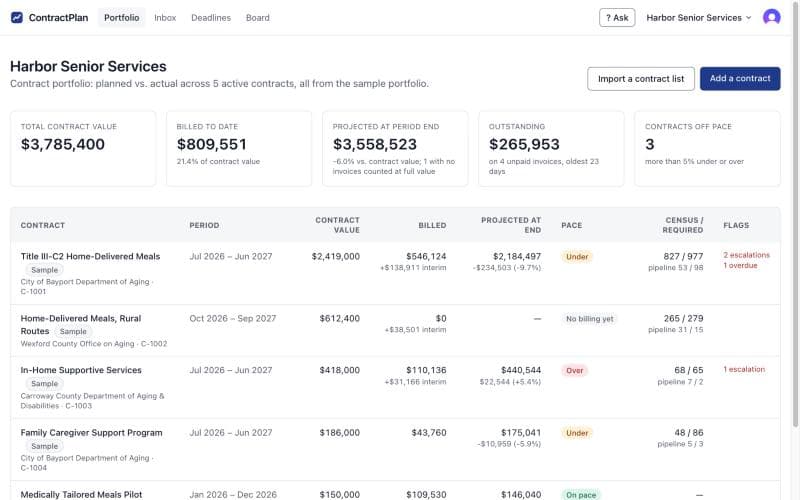
The home page lists each contract with what has been billed, where it will end the year at the current pace, and how many clients it needs. Harbor’s five contracts total $3.8M, and three are running more than 5% off pace.
- 02 of 8
What needs attention comes first
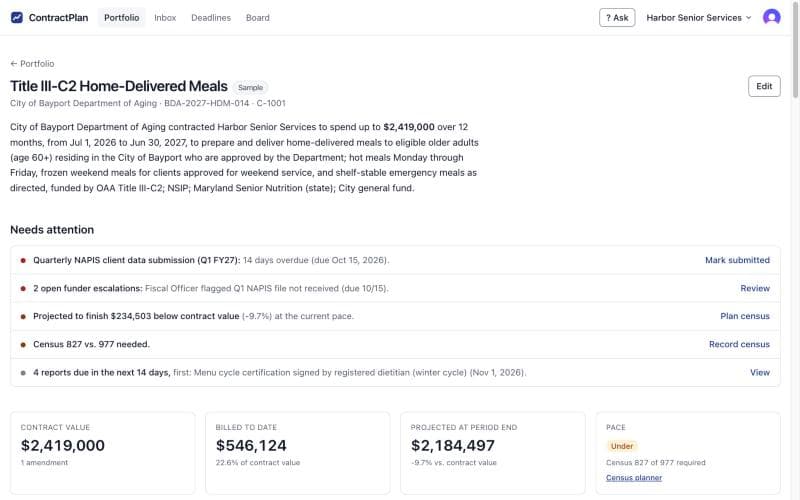
Open a contract and the top of the page says what to do next: a client data submission 14 days overdue, two open funder escalations, and a meals contract projected to finish $234,503 under its value.
- 03 of 8
See the gap while there is time to close it
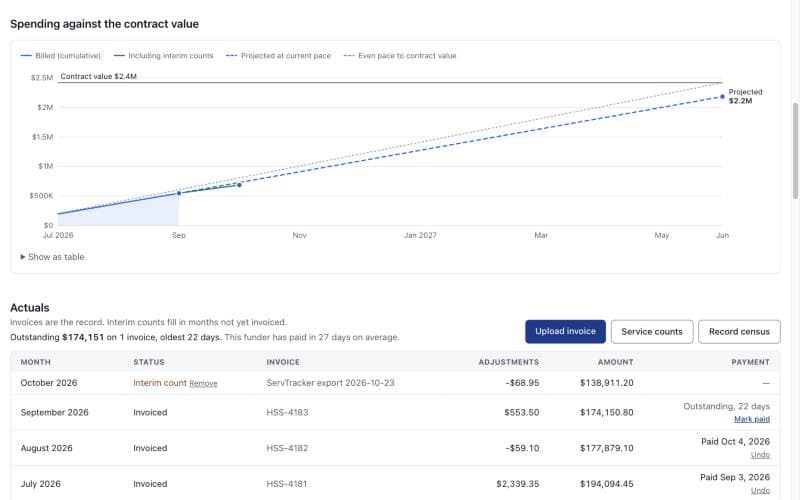
The spend curve compares billing with an even pace to the contract value, and the dashed line shows where it is heading. Service counts from your case system fill in months not yet invoiced, so the projection doesn’t wait for billing to catch up.
- 04 of 8
Know how many clients it takes
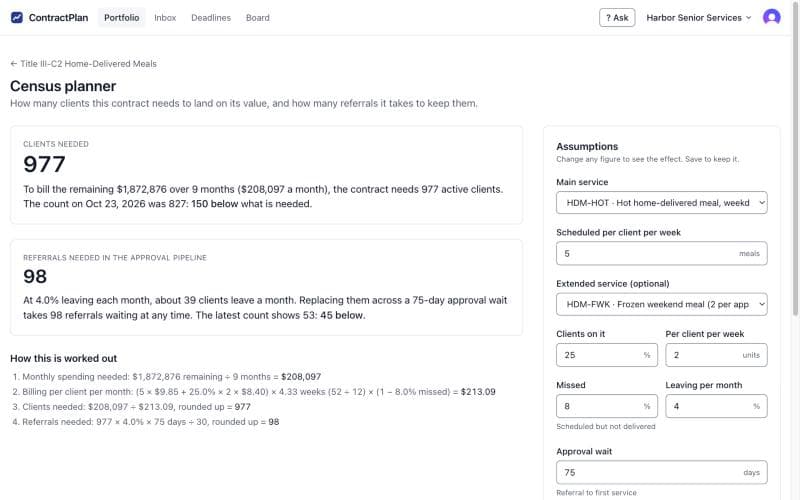
The census planner turns rates, missed services, clients leaving and the funder’s approval wait into two numbers: 977 active clients to spend this contract, and 98 referrals waiting for approval. Harbor has 827 and 53, so the program team knows how far there is to go. Change any assumption to see the effect.
- 05 of 8
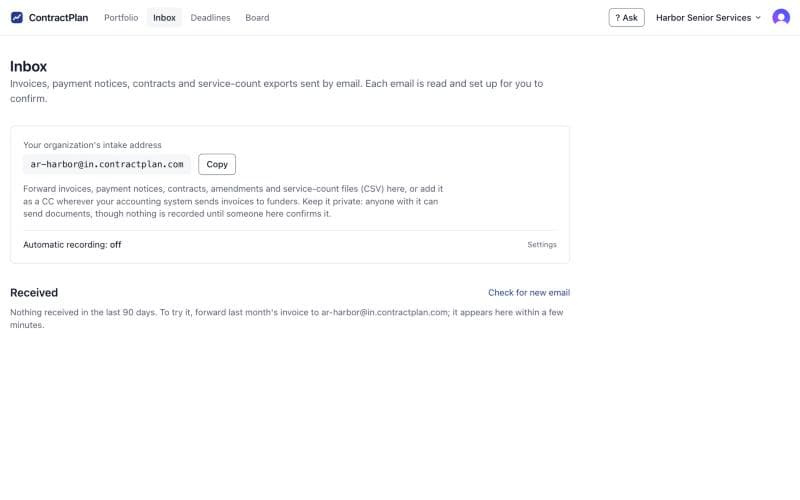
Invoices arrive by email
Each organization gets a private intake address. Forward invoices and payment notices to it, or copy it in wherever your accounting system sends invoices. ContractPlan reads each one and sets it up for you to confirm. Nothing is recorded until someone does.
- 06 of 8
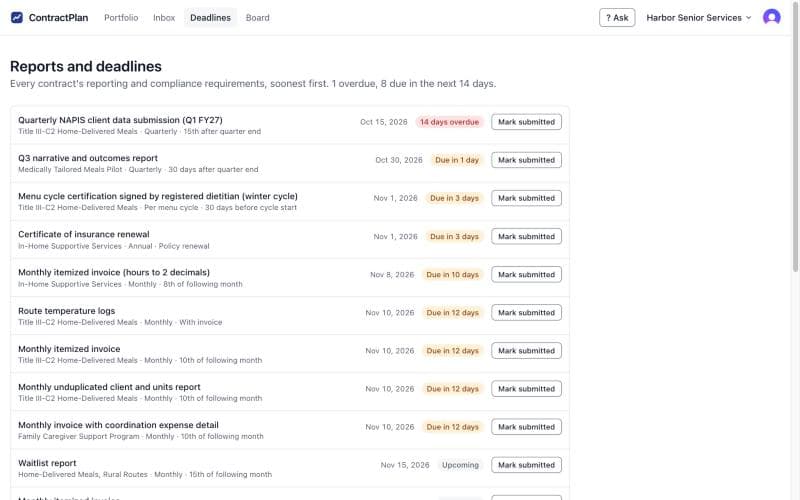
Every report and deadline, soonest first
Reporting and compliance requirements from every contract in one list: client data submissions, narrative reports, insurance renewals and monthly invoices. Mark each one submitted when it goes out. A weekly email lists what is coming up.
- 07 of 8
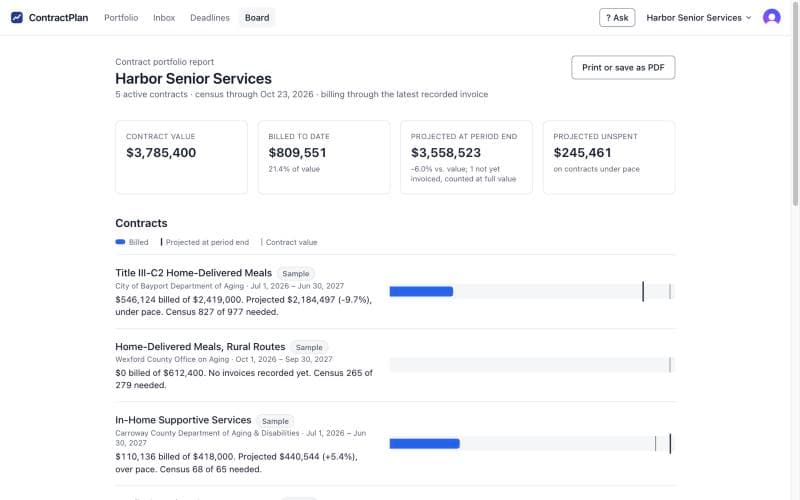
One page for the director and the board
The board view sums up the whole portfolio: contract value, billed to date, projected landing and projected unspent, with a bar for each contract. Print it or save it as a PDF for the board packet.
- 08 of 8
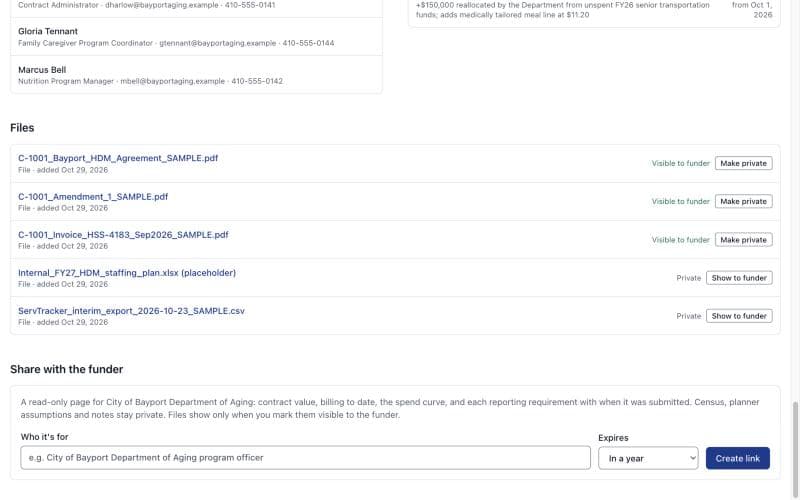
Share with the funder on your terms
Give a program officer a read-only link to one contract: its value, billing to date, spend curve and reporting status, plus only the files you mark visible. Census, planner assumptions and notes stay private. A link can expire, and you can turn it off at any time.
Try it with your own contracts
Start a 30-day free trial with no card. Upload a contract and forward last month's invoice, or load the same sample portfolio and explore it first.