For nonprofits on government and grant contracts
Spend every dollar of your service contracts. Serve everyone they were funded to reach.
ContractPlan® reads your contracts and invoices. It shows where each one will land, how many clients it takes to spend it, and what your funder expects next.
30-day free trial · No card required
- Built for aggregate counts, not client records
- Each organization’s data kept separate and encrypted
- Your funder sees only what you share
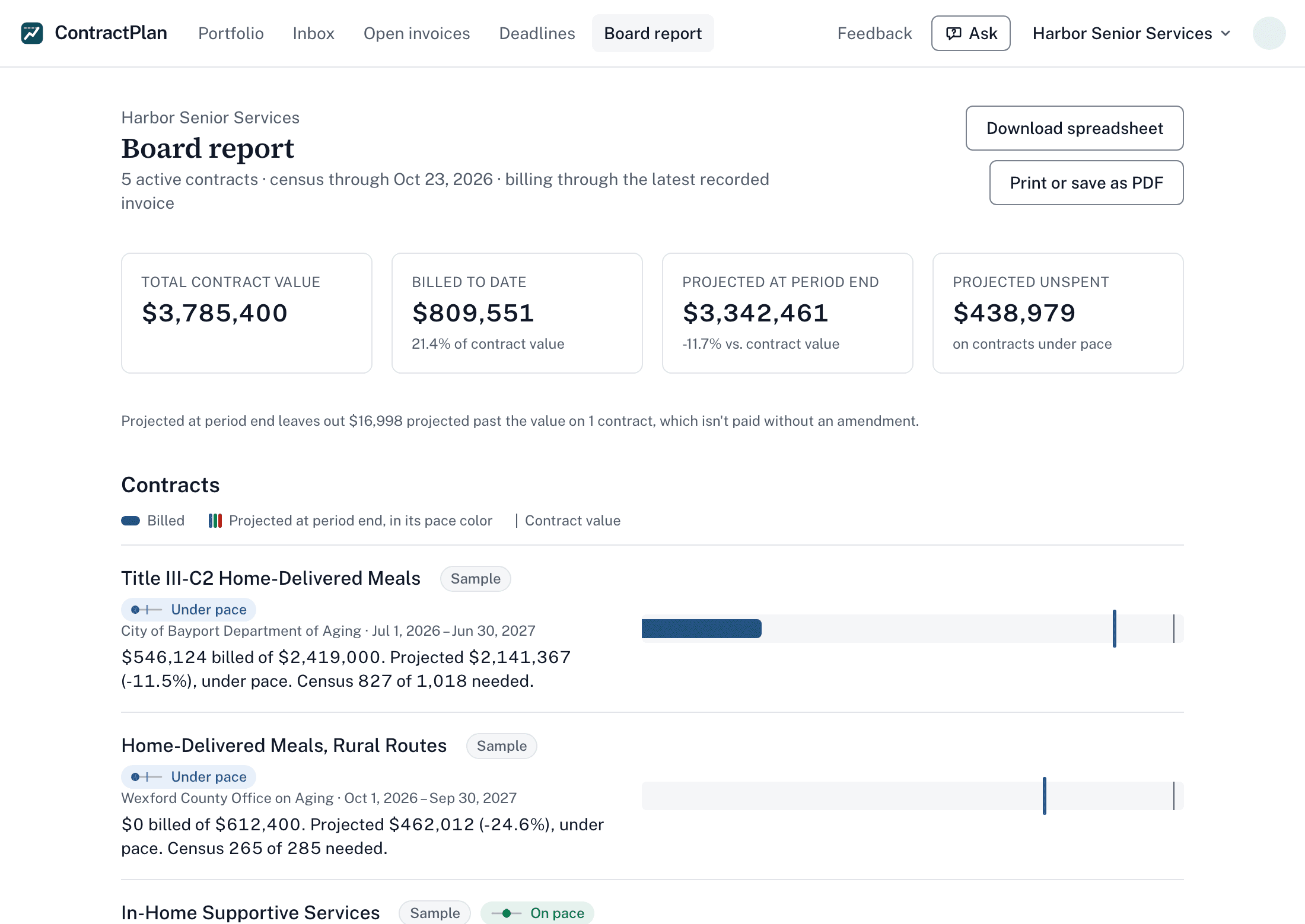
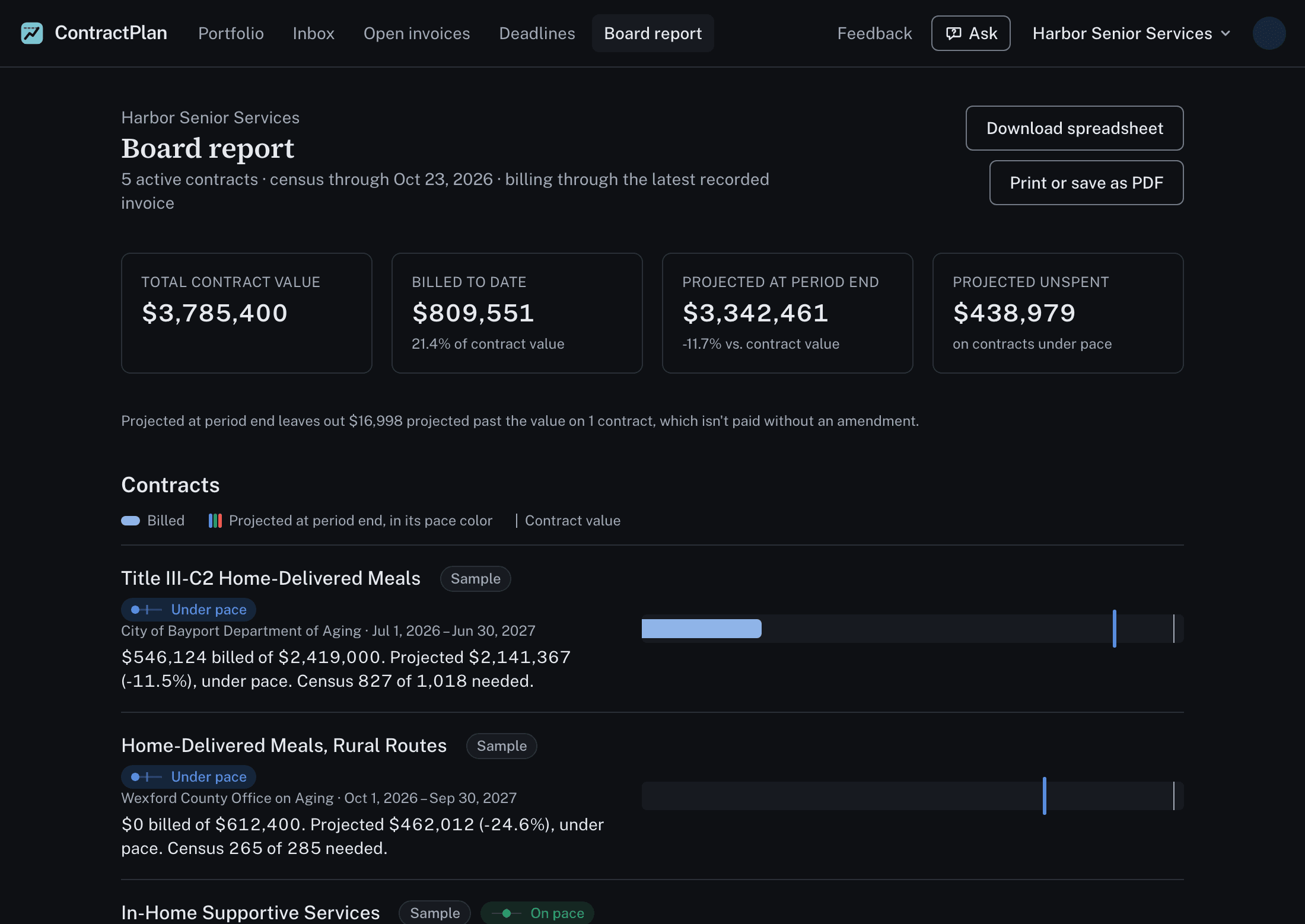
See unspent money while there is time to spend it
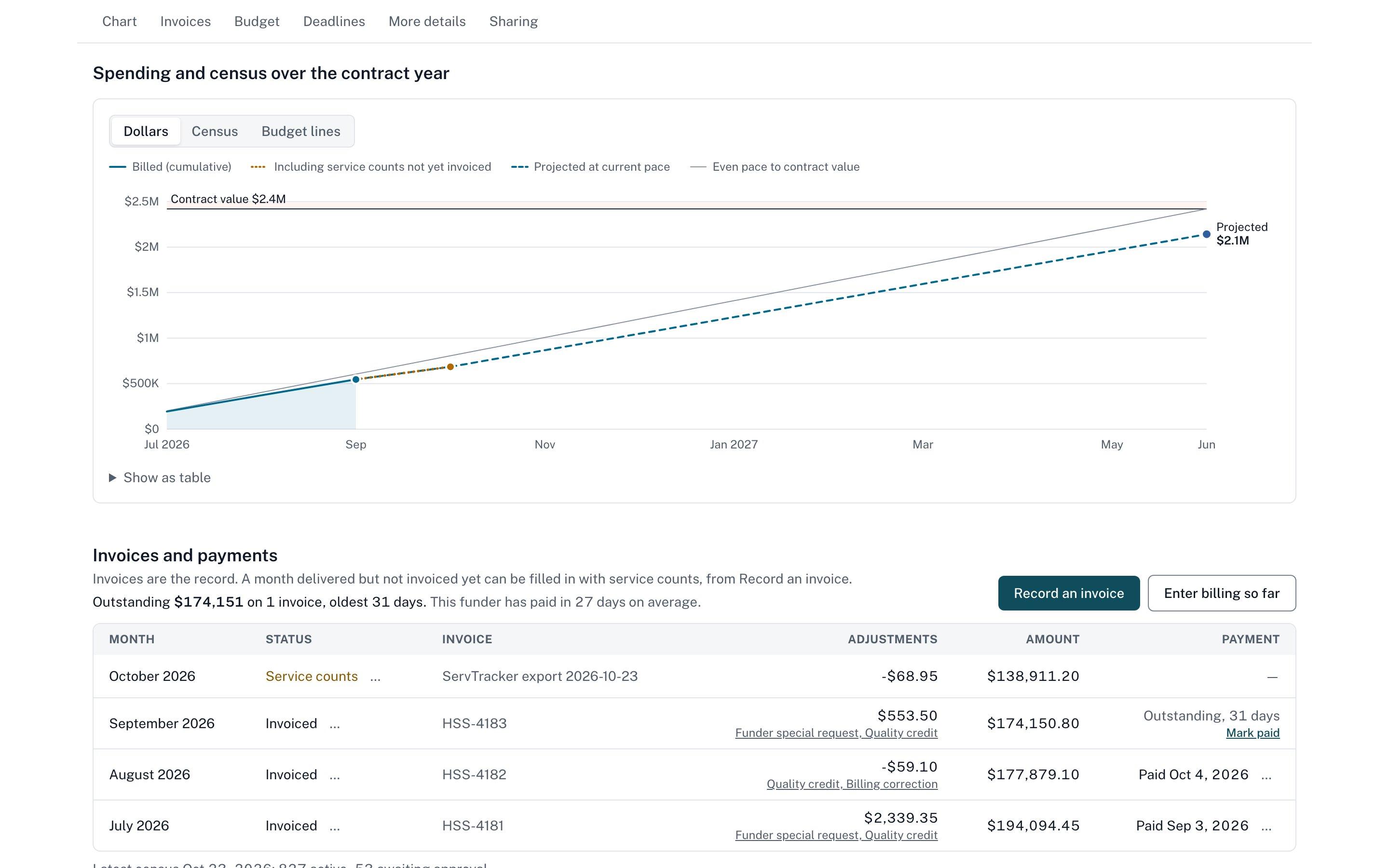
Every invoice updates where each contract will land at period end. A contract heading 10% under shows up in month three, not in the closeout letter.
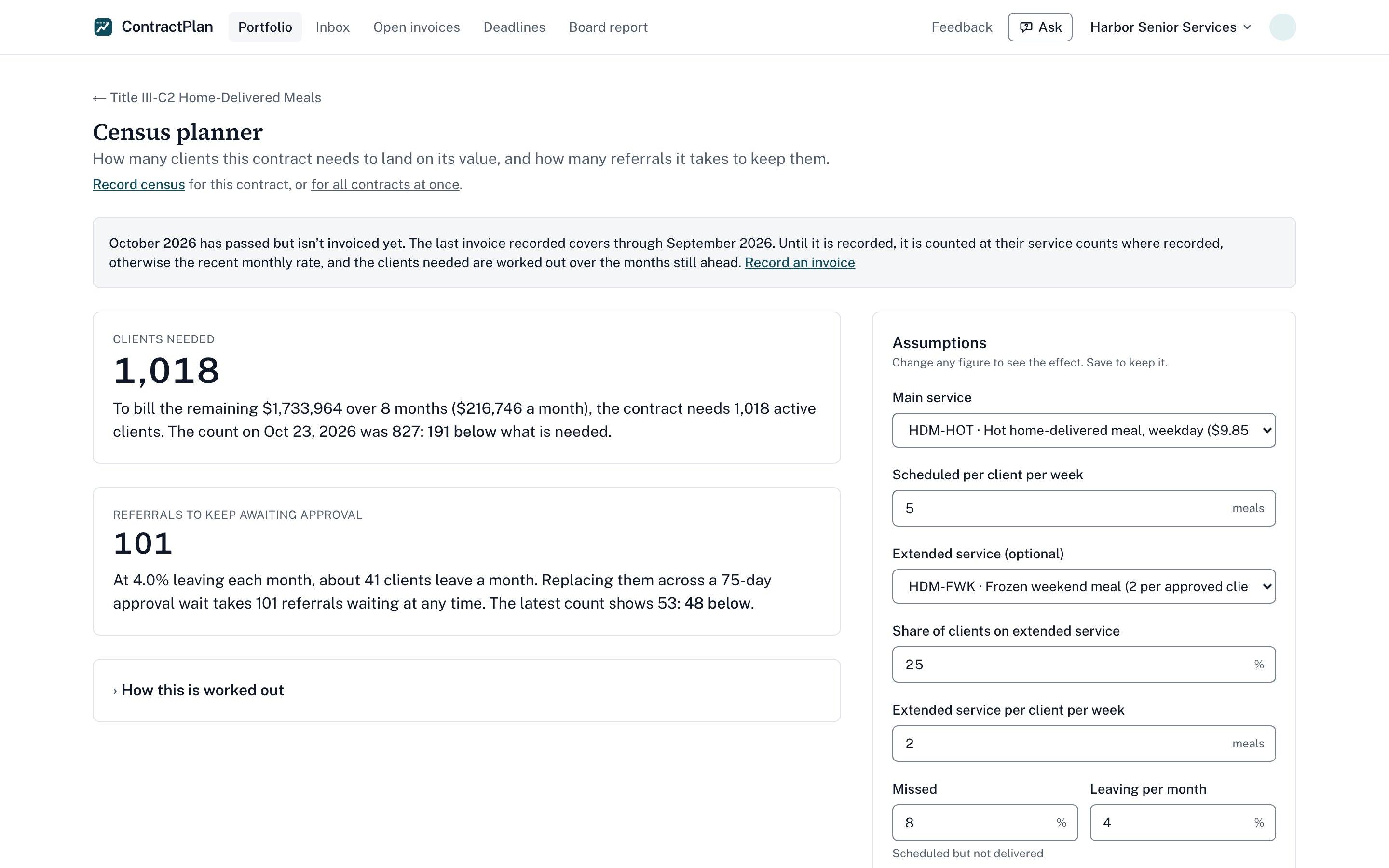
Know how many clients it takes
Rates, attrition and approval waits become two numbers you can show your funder: the census (active caseload) it takes to spend the contract, and how many referrals should be waiting for approval today.
Never miss what the funder expects
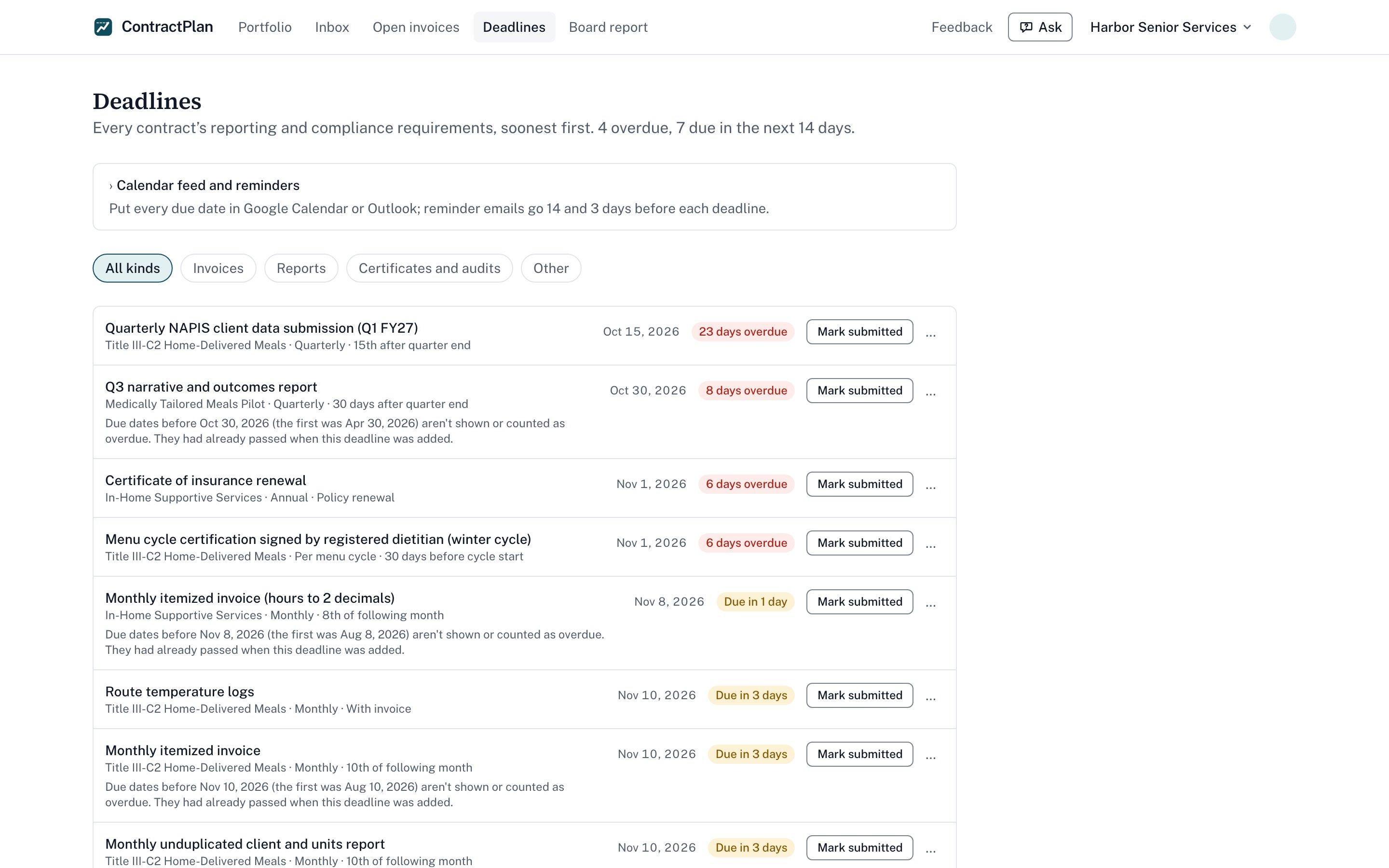
Reports, certificates, audits and monitoring visits for every contract in one list, ordered by what is due first.
Who it's for
Nonprofits and small providers delivering services over time under not-to-exceed contracts: home-delivered meals, in-home care, case management, transportation, behavioral health and other programs funded by cities, counties, area agencies and grants.
Executive directors and boards
One printable page for the whole portfolio: contract value, billed to date, where each contract will land and what needs attention.
Finance
Billing to date, open invoices and projected landing for every contract, from the invoices you already send. No second spreadsheet to keep.
Program managers
The census each contract needs, referrals waiting on funder approval, and every report and deadline in one list.
How it works
- 1
Upload the contract
No new system to set up. ContractPlan reads the agreement: amount, period, services and rates, budgets, reporting deadlines and contacts, and lays them out for you to check before anything is saved.
- 2
Keep sending what you already send
Forward invoices and payment notices to your private intake address, or upload them. Nothing to re-type. Service-count exports from your case management system, such as a ServTracker CSV, fill in months not yet invoiced.
- 3
Work from one page
Each contract shows what needs attention first. The board report gives your director and board the whole portfolio on one page.
One set of numbers for you and your funder
Underspending is rarely anyone's fault. Providers and funders want the same thing: the service delivered and the money spent on it. What gets in the way is that each side sees only part of the contract.
Show the math, not a hunch
The census planner shows why a capped caseload can never spend the contract: rates, clients leaving, missed services and the wait for approval, worked out step by step, so you can walk your funder through it.
Make approvals part of the plan
It shows how many referrals need to be waiting for approval at any time to keep the caseload where the contract needs it, so a slow approval shows up as a number, not a complaint.
Report without the scramble
Give your contract officer a read-only link to the spend curve and reporting status. No account needed on their side, and you both work from the same numbers.
Two plans. Every contract, every user.
One contract or a hundred, the same price for the whole organization. Unlimited users, funder links and weekly email summaries. Try everything for 30 days, then choose a plan. If you don't, your data is kept 30 days so you can download it.
- Contract and invoice reading with AI, within a monthly allowance
- Load every contract at once: each is read for you, with a kickoff checklist
- Spend curve and census planner for each contract
- Deadline list, reminders and weekly email
- Board report, printable
- Portfolio spreadsheet download
- Optional read-only funder links
- Export all your data at any time
Choose Plus if your finance office closes the books in QuickBooks or Aplos, or you have a single audit.
Everything in Standard, for the finance office and the auditor:
- Costs imported from your accounting system, for budget vs actual
- 13-week cash forecast
- Single-audit (SEFA) worksheet for your federal awards
No card required. Prefer to look first? See the demo · Buying for a county or agency? For purchasing and compliance
Everyone in your organization, one price. Running a network of affiliates, or more than 100 people will use it? Email hello@contractplan.com for a plan that fits.
Why it exists
I spent years running service contracts on the provider side, and watched them come in under their value year after year while people waited for services. What changed it was one set of numbers that we and our funder both trusted. ContractPlan is that set of numbers, for every contract you hold.
— ContractPlan's founder
Questions
Anything else: hello@contractplan.com
Does it connect to our accounting or case management system?
It works with the files those systems already produce, so there is nothing to install. Forward invoices and payment notices from your accounting system to your organization's private intake address, or set that address as a copy on the invoices you already send. Service-count exports (a CSV from ServTracker or any system that exports a spreadsheet) can be emailed the same way or uploaded on the contract, and so can the monthly census or caseload report with client totals by program, so no one has to type in counts for every contract. Each one is read and set up for you to confirm, and only totals are kept.
Does this replace our accounting system?
No. Your accounting system stays the record of what you billed and received. ContractPlan uses those invoices to show where each contract will land and what it takes to spend it fully.
Do you store client information?
ContractPlan is built for aggregate counts: clients served, units delivered, referrals pending. Don't enter names, case numbers or other client records. If an invoice or report you send lists clients, ContractPlan keeps only the amounts, units and dates it needs. The file is deleted after reading, and what was read from it is deleted within 90 days.
What happens to the contracts and invoices we upload?
They are read to fill in the fields you review. Invoices are then deleted. A signed contract is kept on the contract record unless you untick Keep a copy when uploading (contracts loaded on Setup or emailed in are always kept), and any kept file can be deleted from the contract. Files you attach as proof of a submitted report are kept, encrypted, until you remove them.
What can our funder see?
Only what you share. A funder link shows contract value, billing to date, the spend curve and reporting status. Census, planner assumptions and notes stay private. You can turn a link off at any time, and if ContractPlan is for your team only, an admin can turn funder sharing off altogether.
Is there a limit on reading documents?
Reading documents with AI and asking the built-in assistant are included up to a fixed allowance in the trial and each month after. Entering contracts and service counts by hand is never limited.
What happens after the 30-day trial?
The trial includes everything in both plans. When it ends, choose Standard ($149 a month or $1,490 a year) or Plus ($249 a month or $2,490 a year) and add a card. If you don't choose a plan, access stops and your data is deleted 30 days later. You can download all of it first.
Each organization's data is kept separate in the database and encrypted. How ContractPlan protects your data